Scope validated per project

Guests check themselves in, any time.

Gesta Kiosk brings check-in, keys, stay extension, purchases, documents and balance to the lobby, connected to the same GestaProp booking.

Gesta Kiosk · On site
HardwareValidated and installed per project
Connected toBooking, payment and operations in GestaProp
Plans Solo PagoTeamManager
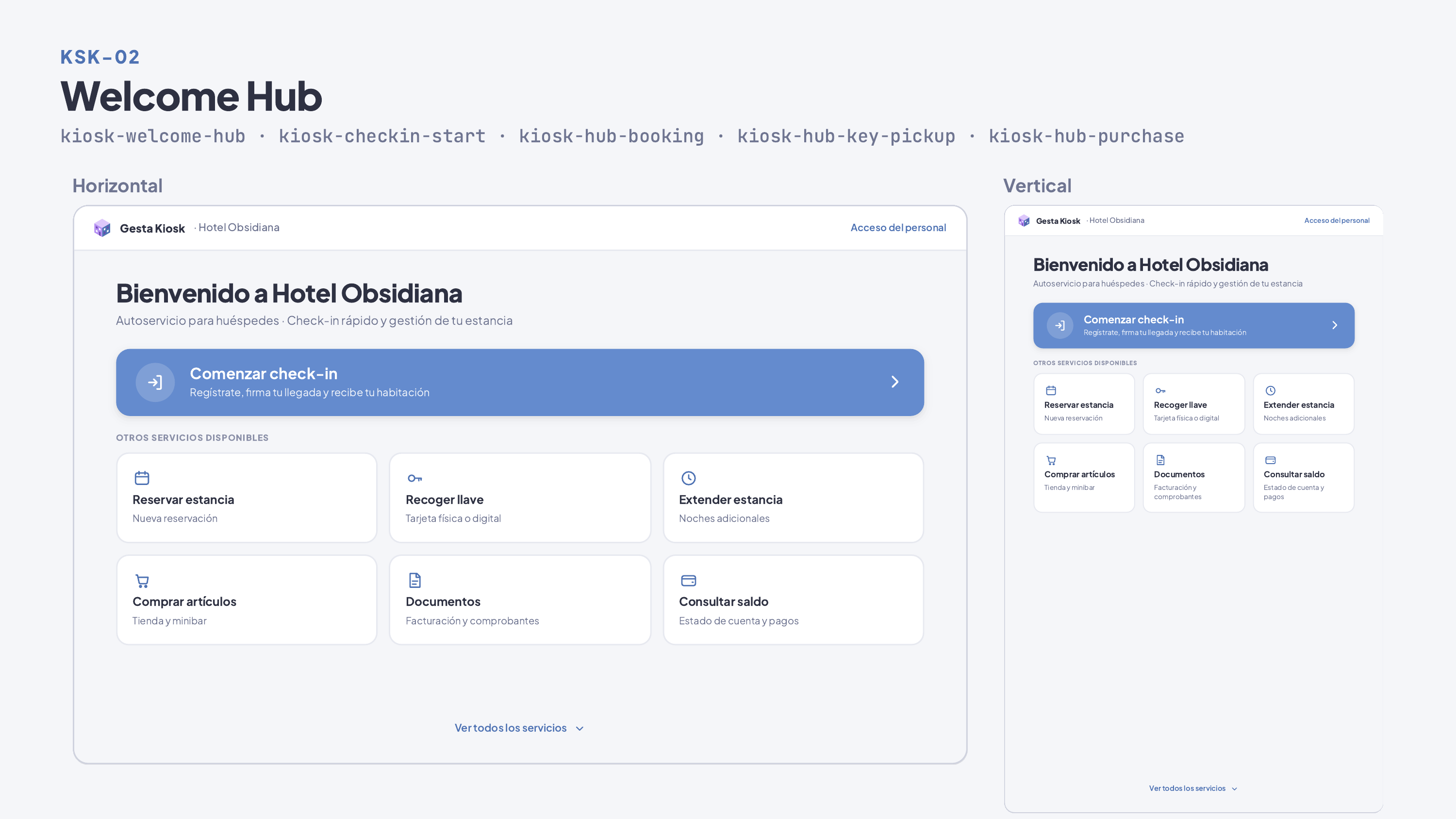
Gesta Kiosk · Welcome Hub: check-in, keys, stay extension, purchases, documents and balance.
Kiosks

What you can do

01 Check-in Guests confirm their booking and details without the front desk.
02 Keys and access Access handover once hardware and integration are validated.
03 Extensions and purchases Extend the stay or buy extras with a backend quote.
04 Balance and documents See what is pending, pay and review stay documents.
05 Check-in in six steps Find the booking by its code, confirm the stay, complete details, capture ID, sign the registration on screen and get the confirmation.
06 Assisted ID capture The camera reads the machine-readable zone of the passport or ID to fill in the details; identity verification remains with staff.
07 Purchases with breakdown Catalog and cart with subtotal, taxes and total calculated by the server; pay in cash at the front desk, by card or charged to the room.
08 Secure activation Each kiosk is registered with a six-character code that expires in ten minutes, and its access can be revoked from the console.
09 Privacy in the lobby If nobody interacts, the kiosk warns and returns to the start after a countdown, leaving no data from the previous guest on screen.
10 Only what is enabled The welcome screen shows only the services the property activated and its hardware supports.

How it works

01 Validate We review space, hardware, access and the property’s flow.
02 Install The kiosk is set up on a dedicated tablet or device, activated with its code and connected to GestaProp.
03 Operate Guests serve themselves; the team sees everything in the console.
Availability

Kiosks is the On-site operations add-on: monthly cost plus hardware and installation, only once scope is validated and contracted.

Solo Pago Team Manager
FAQ
What hardware do I need?

It is defined and validated per project before signing; uncertified hardware is not offered.

Does it replace the front desk?

No. It covers self-service flows; the front desk remains for everything else.

Does the kiosk open the room door?

Not yet. Key encoding depends on the lock and its integration, validated per project; meanwhile the kiosk tells the guest to collect their access at the front desk.

Can I take card payments on a terminal at the kiosk?

The physical terminal is validated per project. Today it covers sale and reconciliation; other terminal flows are certified on real hardware before they are offered.

Let's talk about your operation

Message us on WhatsApp or leave your details. A person from our sales team will reply.