Enabled by cohort

Your daily operations, on Android.

The native GestaProp app for Android brings arrivals, housekeeping, maintenance, point of sale, calendar and bookings to each team member’s phone or tablet. On a tablet it also works as a self-service kiosk.
Native app · Android
SectionsTasks, Maint., Arrivals, POS and Profile, depending on your role
OfflineField work and contingency with synced data
HardwareValidated per platform when applicable
DevicesPhone, tablet, foldable and compatible Chromebook
Plans Solo FreeSolo PagoTeamManager
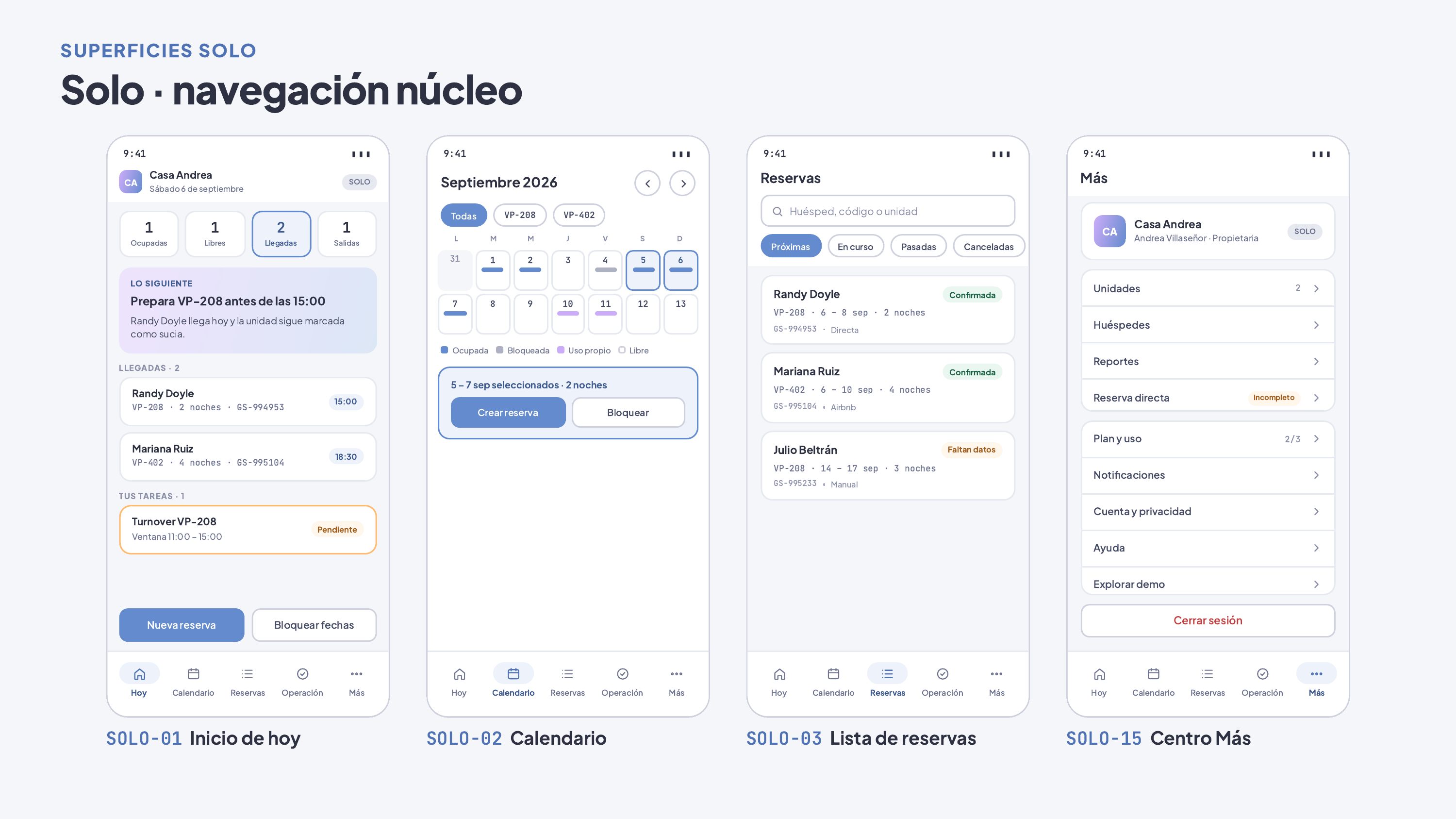
Gesta App · Solo: Today, Calendar, Bookings and More.
Android app

What you can do

01 Today Arrivals, departures and tasks in one view.
02 Calendar Availability per unit to answer on the spot.
03 Bookings Booking details from your phone.
04 Contingency If the network drops, keep working with synced data; payments and new channel bookings wait for connectivity.
05 Solo Free without an account Schedule, Booking, Cash and Settings on your phone: record bookings and payments with exact amounts, back up encrypted and export your data.
06 Housekeeping with evidence Each room goes from dirty to clean and inspected with its checklist and compressed photos that upload once signal returns.
07 Maintenance Work orders with priority, parts used and closure with evidence, on the day’s route.
08 Front desk arrivals Record the guest’s arrival with their on-screen signature, saved with the exact date and time.
09 Two-pane tablet On large screens, navigation moves to a side rail and the list sits next to the detail; the point of sale shows catalog and check side by side.
10 Protected data What is stored on the device is encrypted, and sessions and keys live in Android’s secure storage.

How it works

01 Download Install the app on your Android phone or tablet within your cohort and sign in with email and password, or use Solo Free without an account. Google or Apple login remains pending.
02 Sync Solo Pago, Team and Manager connect the app to the backend; Solo Free runs on one local device.
03 Operate Staff complete their physical workday; dense front-desk work stays in the web console.
Availability

The Android app is enabled per platform after acceptance and by customer cohort.

Solo Free Solo Pago Team Manager
FAQ
Is it the same app as on iOS?

It offers the same daily operations; each platform is released after its own acceptance.

Does it work offline?

Partially. It supports field work with synced data; payments, new channel bookings and invoicing require connectivity.

Can I subscribe from the app?

Subscriptions are managed on the web. Google Play purchase and restoration remain pending and do not activate backend entitlements.

If I move from Solo Free to Solo Pago, do I lose what I entered?

No. Your bookings and settings are imported into your account, and before applying you see every difference to review it.

Let's talk about your operation

Message us on WhatsApp or leave your details. A person from our sales team will reply.